

When a WordPress REST Route Shouldn't Return JSON
Published with Loopress WordPress plugin 2026.17.1 and Loopress CLI 0.32.2.
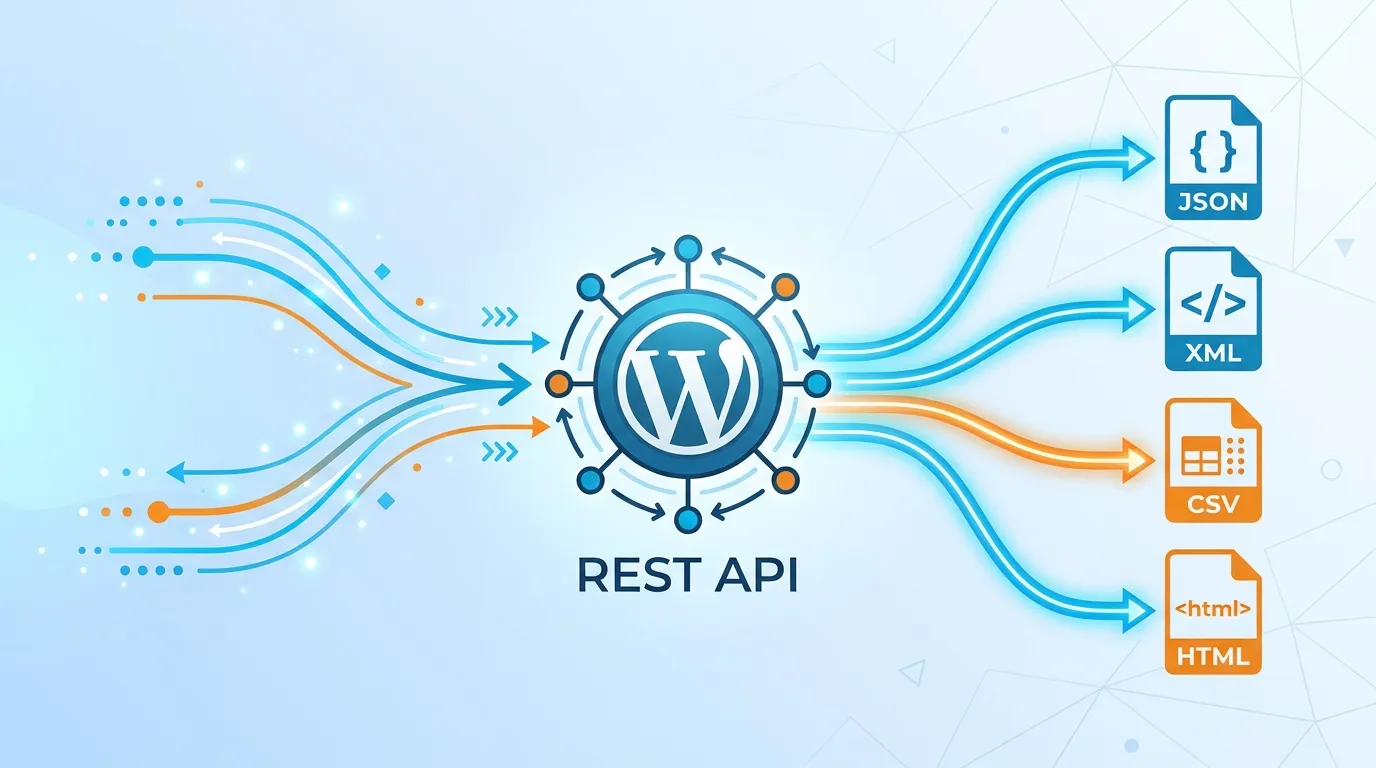
It started with a student on my sister’s tutoring site asking for the blog posts as PDFs. A route that renders a post to PDF is a few lines with Dompdf. Then I started imagining the next ones: an Excel export of orders, a QR code for an event ticket, a calendar feed, a Markdown version of a post for an AI crawler. None of them wanted to answer in JSON.
The WordPress REST API is built around JSON. Return an array from a callback, WordPress serializes it, sets Content-Type: application/json, done. It’s such a good default that it becomes the only answer, and then you find yourself base64-encoding a PDF into a JSON field so a browser can… decode it back into a PDF.
The question that decides the response shape isn’t “what does the route produce”. It’s who calls it, and what do they do with the answer. Across the cookbook recipes I’ve built with custom API routes, four shapes cover everything.
Shape 1: JSON, for code that reads fields
Section titled “Shape 1: JSON, for code that reads fields”A frontend fetch(), a mobile app, a CI script: the caller parses the response and picks fields out of it. That’s what JSON is for, and what a route gives you by returning an array or a WP_REST_Response:
public function get(WP_REST_Request $request): array{ return ['id' => 482, 'status' => 'valid'];}Nothing to decide here. It’s the default because it’s the right answer most of the time.
Shape 2: a file inside JSON, as a data URI
Section titled “Shape 2: a file inside JSON, as a data URI”Sometimes the caller is still code, but what it wants is a small image to drop into the page: a resized thumbnail, a ticket’s QR code. The route can put the image in a JSON field as a data: URI:
return new WP_REST_Response([ 'data_uri' => 'data:image/png;base64,' . base64_encode($result->getString()),]);The frontend sets it straight as <img src>, no second request, and the JSON envelope can carry other fields next to it (dimensions, an expiry). I use this for ticket QR codes and on-the-fly image resizing.
The limits are real, so keep it for small files. Base64 makes the payload a third bigger than the raw bytes. The browser can’t cache the image on its own, only the whole JSON response. And a human can’t open the URL and see the image, they see a wall of base64. My QR code is a 519-byte PNG, 737 bytes as JSON: fine. A 2 MB photo as JSON is not.
Shape 3: raw bytes, with your own headers
Section titled “Shape 3: raw bytes, with your own headers”When the caller isn’t your code at all, JSON is simply wrong:
- A browser navigating to the URL, from a “Download as PDF” link: it needs
Content-Type: application/pdfand aContent-Dispositionheader, or it shows gibberish. - A calendar app subscribed to a feed: it expects
text/calendar, and never sends anything WordPress could negotiate on. curl -o report.xlsxin someone’s cron job: it writes whatever bytes arrive to disk.- An AI crawler or an
llms.txtconsumer: it wantstext/markdown, not HTML in a JSON string.
A route verb method doesn’t have to return anything. It can send its own headers, echo the body, and stop:
public function get(): void{ // ... build $xlsxBytes header('Content-Type: application/vnd.openxmlformats-officedocument.spreadsheetml.sheet'); header('Content-Disposition: attachment; filename="orders.xlsx"'); echo $xlsxBytes; exit;}That’s the whole trick, documented as streaming a file instead of JSON. The post to PDF recipe, the one the student asked for, works this way, and so does WooCommerce orders to Excel.
Shape 4: a redirect, when the file already exists
Section titled “Shape 4: a redirect, when the file already exists”That 2 MB photo, or a PDF already sitting in the media library, doesn’t need to travel through PHP at all. The route decides which file the caller gets, checks they’re allowed to have it, and points them at it:
public function get(WP_REST_Request $request): WP_REST_Response|WP_Error{    $url = wp_get_attachment_url((int) $request->get_param('attachment_id'));    if (!$url) {        return new WP_Error('not_found', 'No such file.', ['status' => 404]);    }
    return new WP_REST_Response(null, 302, ['Location' => $url]);}
The web server sends the bytes, with its own caching and range requests, and the route stays a normal REST response: no exit, nothing skipped. Keep the WP_Error: without it, an unknown id answers a 302 with an empty Location, which I only caught by calling the route on a real site.
What to know before shipping one
Section titled “What to know before shipping one”Checked on a real site, and in how Loopress loads route files:
- Errors can still be JSON. Return a
WP_Errorbefore the headers go out and WordPress answers it like any other REST error,{"code":"not_found",...,"data":{"status":404}}. Only the success path is raw. A caller that gets a 404 shouldn’t have to parse a PDF to find out. - A throw is a JSON 500, not a fatal. An uncaught exception in a verb method, raised before your headers go out, comes back as
{"error":"Internal error"}with a 500 status, and the rest of the site keeps working. - Permissions work the same.
permission()and#[Permission]are checked before the verb method ever runs, raw output or not. My Excel export is admin-only, the curl in its video authenticates with an Application Password like any other REST call. - WordPress’s own REST headers are already there. A raw response still carries
Access-Control-Expose-Headersand the APILinkheader, WordPress sends those before your method runs. Whatexitskips is everything after it: the JSON serialization, and therest_post_dispatchfilters other plugins might hook. - A route-wide
headers()method doesn’t run on a raw response. Loopress appliesheaders()when WordPress serves the response, which is after your verb method returns. A method that callsexitnever returns, so a CORS header declared there won’t be on the download. Send it withheader()inside the verb method itself, next toContent-Type. - A raw route doesn’t belong in the discovery index.
/wp-json/{namespace}lists every route as a REST resource with its methods and args, which says nothing useful about an endpoint that answers with a PDF or a calendar feed.#[Hidden]on the class keeps the route out of that index, and it keeps dispatching exactly as before.
Choosing, in one line each
Section titled “Choosing, in one line each”| The caller | The shape |
|---|---|
| Your code, reading fields | JSON |
| Your code, showing a small image | data URI in JSON |
A browser link, a download, curl -o |
raw bytes + Content-Disposition |
| A calendar app, a feed reader, a crawler | raw bytes + the format’s own Content-Type |
| Anyone, for a file that already exists | a 302 to the file |
The mistake isn’t picking the wrong one of these. It’s never asking the question, and shipping JSON to a calendar app because that’s what the REST API does by default.
Try it on your own site: one PHP file in api/, one lps api push.
npm install -g @loopress/cliCustom API routes and Composer dependency management are Loopress Full features, free. Writing Route Files covers the rest: dynamic segments, verbs, permissions, CORS.