

Application Passwords
The Loopress CLI authenticates with WordPress using Application Passwords, a feature built into WordPress since version 5.6. By default, lps project config creates one for you automatically by authorizing in your browser. If that flow fails, or you choose Enter credentials manually yourself, you generate one under Users → Profile → Application Passwords and pass it to lps project config.
Some security plugins and hosting providers disable this feature by default. If the Application Passwords section is missing from your profile page, if the browser authorization flow fails, or if the CLI returns a 401 authentication error, one of the configurations below is likely the cause.
Hostinger
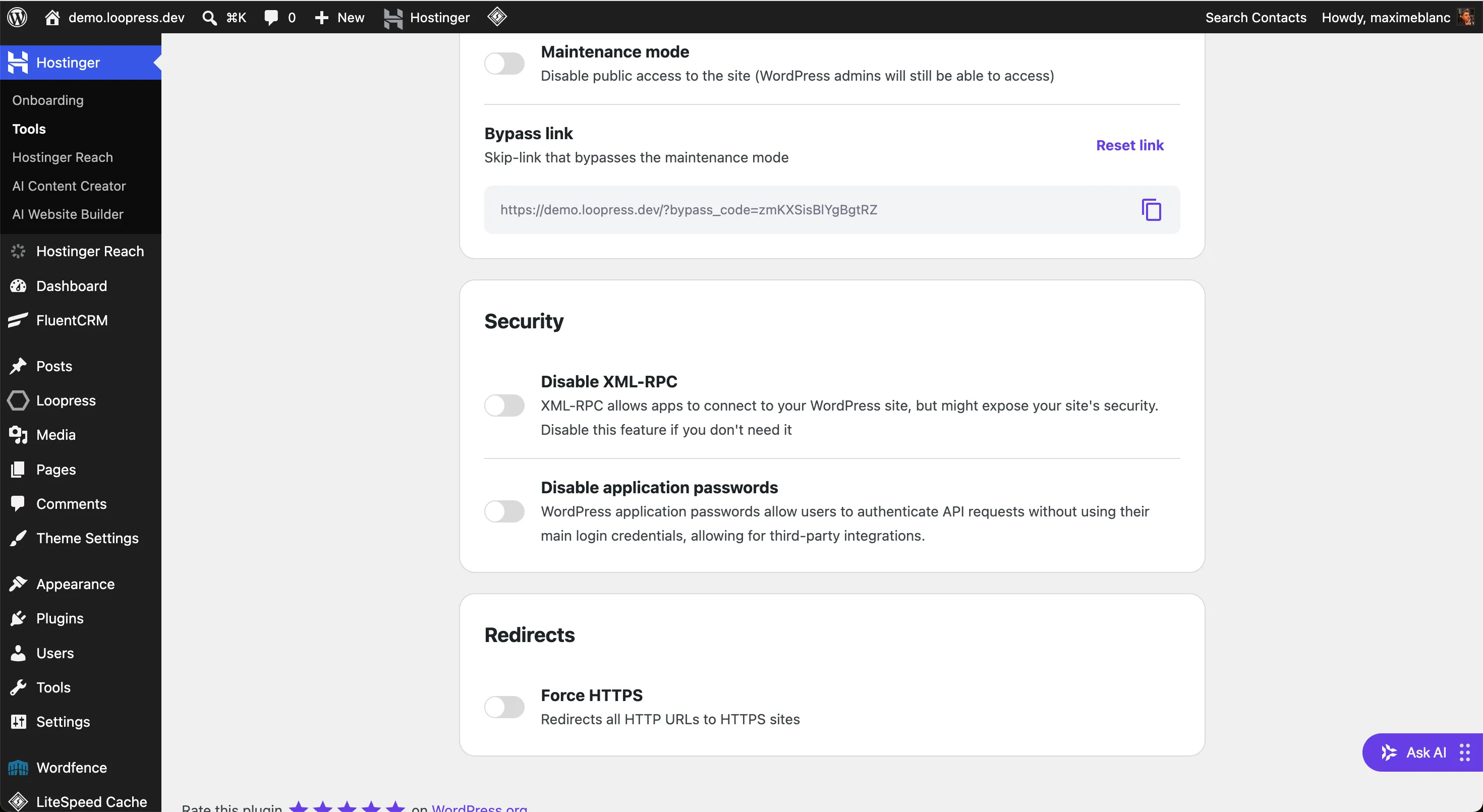
Section titled “Hostinger”Hostinger includes a built-in security panel that can disable application passwords site-wide. To check:
- Go to WordPress Admin → Hostinger → Security
- Find the Disable application passwords toggle
- Make sure the toggle is off
Wordfence
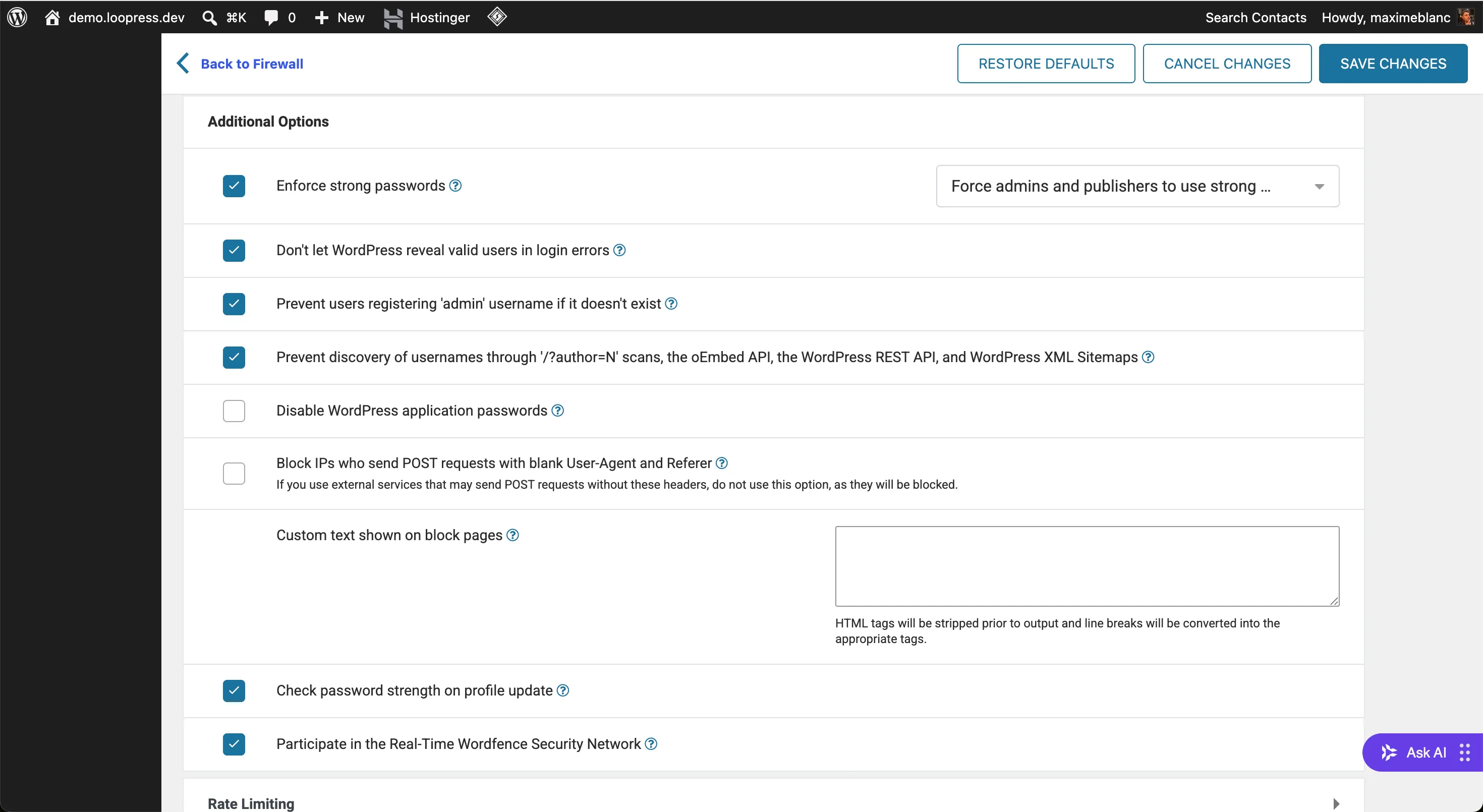
Section titled “Wordfence”Wordfence can block application passwords through its firewall settings. To check:
- Go to WordPress Admin → Wordfence → Firewall
- Click All Firewall Options (or open the Additional Options section)
- Find Disable WordPress application passwords
- Make sure the checkbox is unchecked
- Click Save Changes
Other security plugins
Section titled “Other security plugins”Any security plugin that hardens the WordPress REST API may also disable application passwords. Common ones include iThemes Security, All In One WP Security, and Solid Security. Look for a setting named “application passwords”, “REST API authentication”, or “API access” and make sure it is not blocking application password usage.
Verifying the fix
Section titled “Verifying the fix”After re-enabling application passwords, go to Users → Profile and scroll to the Application Passwords section. If the section is visible, you can generate a password and pass it to lps project config.
If the section is still missing after adjusting the settings above, check whether another plugin or a code snippet is using the wp_is_application_passwords_available filter to disable the feature.